Prevent Utility Line Strikes with Digital Verification Forms
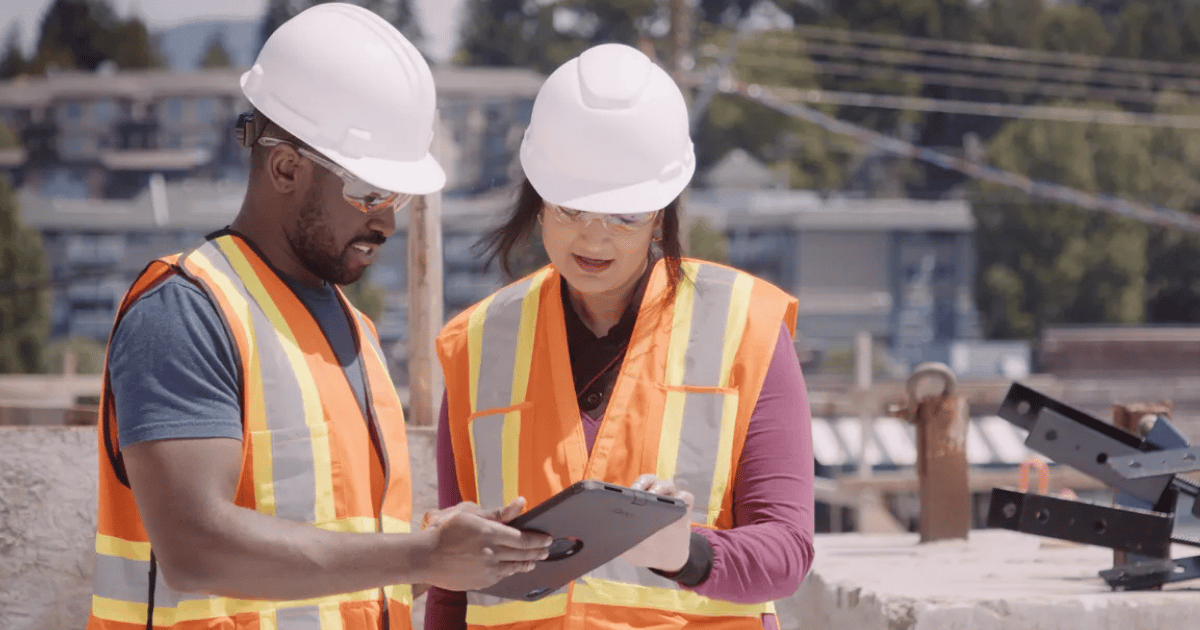
Utility line strikes can cause serious safety hazards, service disruptions, project delays, and costly repairs. Before excavation begins, teams need a reliable process for confirming that underground utilities have been located, marked, and documented.
Digital verification forms help excavation teams complete these checks in the field. Instead of relying on paper forms, verbal confirmations, or disconnected spreadsheets, workers can document locate requests, utility markings, site conditions, approvals, and supporting photos in one centralized record.
This gives safety managers and supervisors clearer visibility into excavation readiness while helping the organization maintain consistent, audit-ready documentation.
Why Utility Line Strikes Happen
Utility line strikes often occur when excavation begins without complete or accurate information.
Common contributing factors include:
- Missing or expired locate requests
- Incomplete site assessments
- Unclear or damaged utility markings
- Poor communication between field and office teams
- Changes to the excavation area after the original locate
- Missing approvals or verification records
- Pressure to begin work before required checks are complete
Paper-based processes can make these risks harder to manage. Forms may be incomplete, photos may be stored separately, and supervisors may not know whether every required step has been completed. Digital verification forms create a more consistent process by guiding field employees through the same required checks before excavation begins.
What Is a Digital Verification Form?
A digital verification form is a mobile form used to document that required excavation checks have been completed.
Depending on the organization’s process, the form may capture:
- The 811 ticket number
- The date the locate request was submitted
- The ticket’s status or expiration date
- The excavation address or GPS location
- The planned excavation area
- Confirmation that utilities have been marked
- Photos of markings and site conditions
- Notes about unclear or conflicting information
- Worker acknowledgment
- Supervisor review and approval
- Follow-up actions required before digging
Employees can complete these forms from a phone or tablet at the jobsite. The submitted information becomes part of a centralized digital record that supervisors and safety teams can review.
Document Utility Locates Before Digging
Utility markings can fade, become obstructed, or be affected by weather and jobsite activity. Capturing site information before excavation gives teams a clearer record of the conditions they reviewed.
Digital forms can allow employees to attach:
- Wide-angle photos of the excavation area
- Close-up photos of utility markings
- Images of nearby structures or landmarks
- Screenshots or copies of locate information
- Notes describing conflicts or concerns
- GPS coordinates or location data
These details can help supervisors confirm whether a site is ready for excavation.
For example, if a field employee notices that the marked excavation area does not match the scope of work, they can document the concern, attach photos, and submit the form for review instead of relying on a phone call or informal message.
Use Approvals to Confirm Excavation Readiness
A completed locate request does not always mean excavation should begin immediately.
Organizations may require a supervisor, competent person, safety manager, or project lead to review the information before authorizing work. Digital workflows can route completed verification forms to the appropriate person for approval.
The reviewer can check:
- Ticket information
- Utility responses
- Photos of markings
- Site conditions
- Identified hazards
- Required control measures
- Outstanding follow-up tasks
If information is missing, the reviewer can return the form for correction or require additional action before approving excavation.
This creates a documented approval process and helps prevent workers from moving forward when required checks are incomplete.
Build Verification Forms Around Field Workflows
Digital forms should make excavation verification easier, not add unnecessary steps.
When creating a form, organizations should focus on the information employees need to capture in the field. Use clear questions, required fields, and logical workflows that match the order in which work happens.
A field-friendly form may include:
- Project and location details
- 811 ticket information
- Utility response status
- Site and marking verification
- Hazard assessment
- Photos and supporting documentation
- Worker acknowledgment
- Supervisor approval
Conditional fields also help keep forms relevant. For example, if an employee reports that a marking is unclear, the form can prompt them to add a photo, describe the concern, and identify the required follow-up action.
Digital tools can equip organizations to centralize excavation records, streamline approvals, and improve visibility into whether required verification steps have been completed.
Centralize Excavation Safety Documentation
Digital verification forms provide a structured way to document excavation readiness before work begins. They allow teams to more easily record locate information, capture site conditions, manage approvals, and maintain centralized records.
They also give safety leaders a clearer view of field activity and facilitate the identification of documentation gaps before these missing records become a larger issue.
Book a demo and see how SiteDocs® helps organizations simplify compliance, improve visibility, and stay audit-ready through centralized, real-time safety documentation.
Frequently Asked Questions
Digital verification forms help teams document locate requests, utility markings, site conditions, approvals, and excavation readiness. They create a consistent process and make required information easier to review before work begins.
A form may include the 811 ticket number, excavation location, utility responses, marking confirmation, photos, hazard information, worker acknowledgment, and supervisor approval.
No, digital forms do not replace 811 notifications, legal requirements, utility coordination, or safe excavation practices. They help organizations document that required steps have been completed.
Photos provide a record of utility markings, site conditions, and planned excavation area. They can also help reviewers identify missing, unclear, or conflicting information.
Digital forms centralize excavation records and make them easier to retrieve. Safety teams can review completed forms, approvals, photos, and follow-up actions without searching through paper files or disconnected systems.
Read More

How to Build a Safety Observation Program That Identifies Risk Early
Build a safety observation program that helps identify hazards early. Learn six steps for observations, reporting, analysis, and follow-up.
Contractor Prequalification Checklist: What to Verify Ahead of Time
Use this contractor prequalification checklist to review licenses, insurance, safety records, and certifications before work begins.
Is Your Safety Program Ready for Workers’ Comp Renewal?
Prepare for workers’ comp renewal with organized safety data, incident records, leading indicators, and documentation to support broker conversations.

SafeTrades NEW
Safety Consultant Program